Conditional Access
Plans MFA, legacy authentication blocking, and compliant-device requirements in report-only mode.
Microsoft 365 | Entra ID | MFA | Conditional Access
A Microsoft 365 and Entra ID lab plan for report-only Conditional Access, MFA, legacy authentication blocking, compliant-device access, and sign-in log review.
3
Policies
3
Groups
Report
First
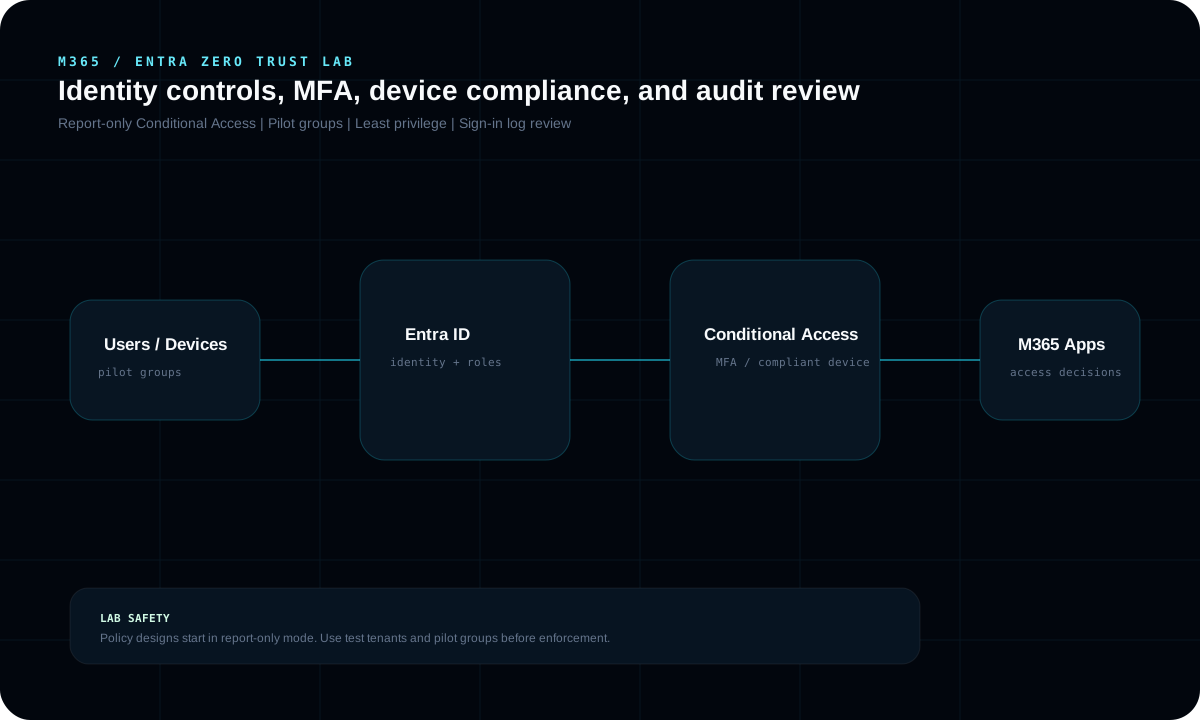
What it demonstrates
Plans MFA, legacy authentication blocking, and compliant-device requirements in report-only mode.
Uses pilot groups and staged enforcement to reduce lockout and business disruption risk.
Frames sign-in log and policy-impact review as part of responsible Zero Trust rollout.
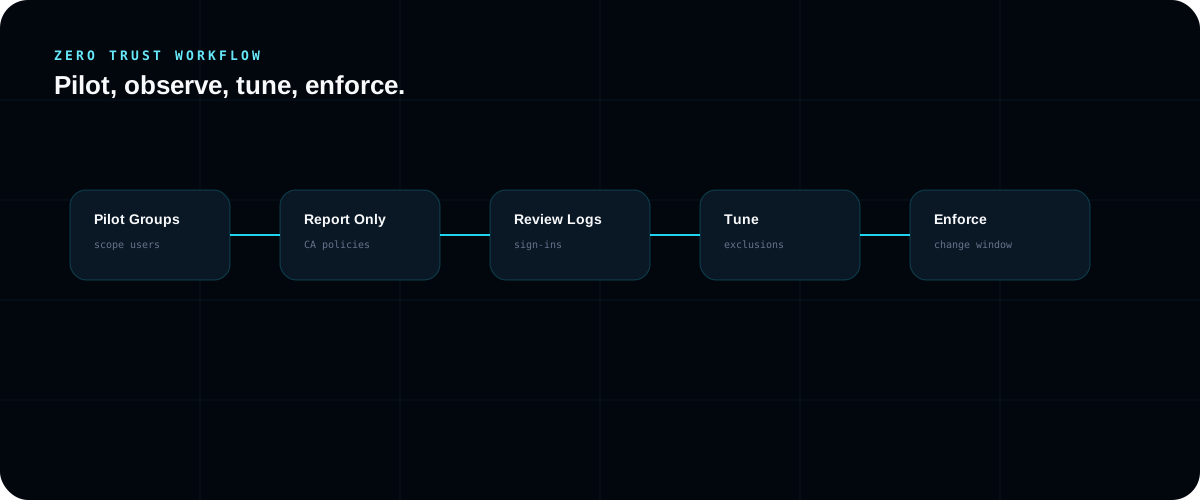
Workflow
Each case study includes a diagrammed workflow so the environment, design choices, safety controls, and troubleshooting paths are easy to understand.
Safety controls
Designed for a Microsoft 365 developer or test tenant
Policies start in report-only mode
Pilot groups are used before broad enforcement
No tenant IDs, usernames, or secrets are included
powershell.exe -NoProfile -ExecutionPolicy Bypass -File .\scripts\New-ZeroTrustPlan.ps1

# Live tenant work belongs in the Entra admin center
# Start Conditional Access policies in report-only modeThe diagrams and workflow summarize the environment, controls, and operational reasoning without exposing internal prep material.