Configuration Backups
Collects running configurations over SSH and writes timestamped, device-specific backup files.
Python | Netmiko | Cisco DevNet / CML
An inventory-driven automation environment for virtual Cisco IOS nodes hosted in an online lab, with configuration backups, VLAN deployment, and operational-state collection.
3
Workflows
5
VLANs
Virtual
Lab type
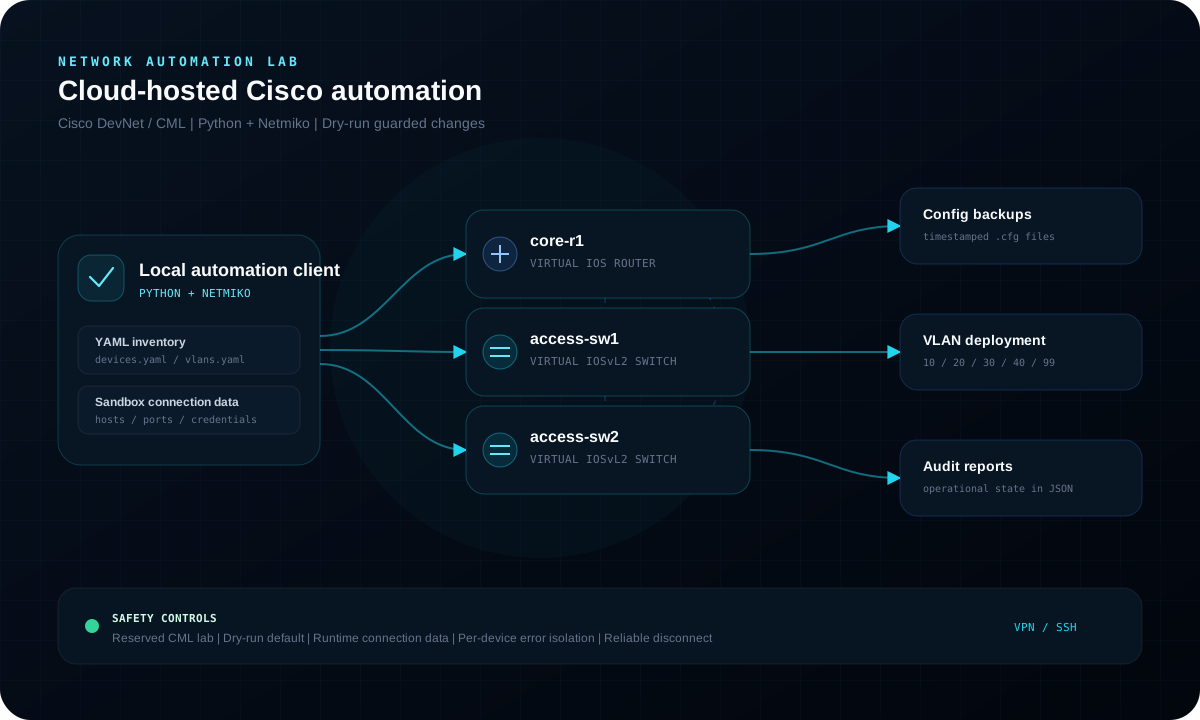
What it automates
Collects running configurations over SSH and writes timestamped, device-specific backup files.
Builds deterministic Cisco IOS commands from YAML intent and requires an explicit apply flag.
Collects interface, VLAN, OSPF, and platform state into structured JSON reports.
Execution design
The configuration workflow separates planning from execution. A normal run prints exactly what would change; only the explicit--applyflag permits network changes.
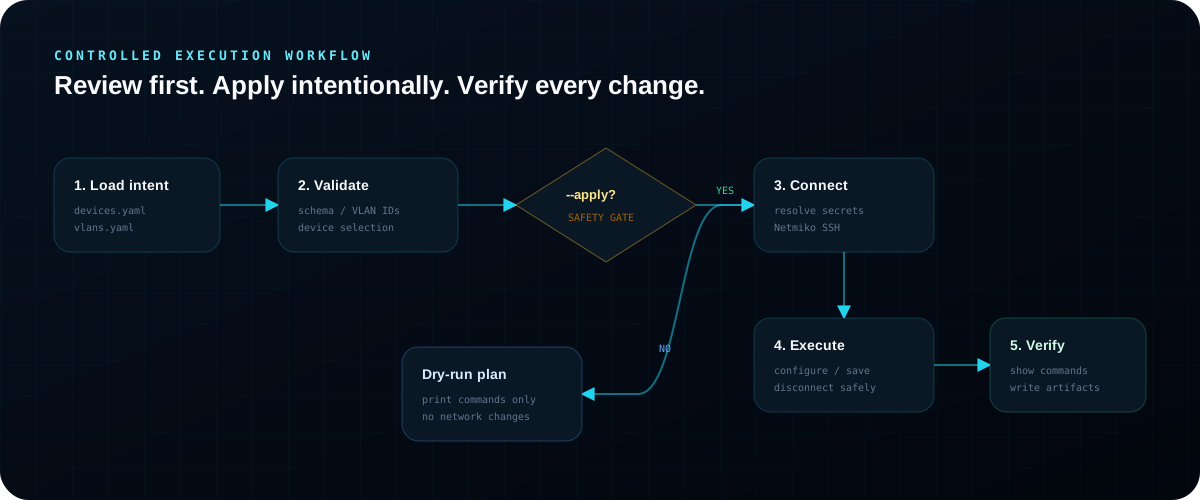
Safety controls
Deployment is dry-run by default
Credentials are read from environment variables
Sandbox hostnames and SSH ports are supplied at runtime
Device and VLAN inventory is validated before connection
Failures are isolated and reported per device
SSH sessions disconnect through a context manager
# Preview changes without connecting
python scripts/deploy_vlans.py

# Back up one device
python scripts/backup_configs.py --device access-sw1

# Apply reviewed VLAN intent
python scripts/deploy_vlans.py --device access-sw1 --applyThe diagrams and workflow summarize the environment, controls, and operational reasoning without exposing internal prep material.